Blog

  • What Is Telematics? A Guide for Fleet Owners

    What Is Telematics? A Guide for Fleet Owners

    Telematics is the technology that collects data from a vehicle - its location, speed, fuel use, and engine health - and sends it wirelessly to software, so a fleet manager can track and manage vehicles from anywhere. It combines three things: a GPS device in the vehicle, a mobile (SIM) connection, and a dashboard. This guide explains how telematics works, what data it captures, how it differs from plain GPS tracking, and why it’s the backbone of modern fleet management.

    If you’ve ever wondered how a manager can see a vehicle’s exact location, speed and fuel level from a laptop miles away, the answer is telematics. So what is telematics? In short, it’s the technology that turns a moving vehicle into a stream of live data you can read, act on and store. This guide explains the pieces involved, the kind of information they capture, and why telematics has become the backbone of every serious fleet operation.

    What is telematics, exactly?

    The word “telematics” blends telecommunications (sending data over a network) with informatics (processing that data). Put together, telematics is the practice of collecting information from a vehicle and transmitting it wirelessly to a central system where it becomes useful. A small device fitted to the vehicle reads location and status, a mobile data connection carries that reading to the cloud, and software turns thousands of those readings into maps, reports and alerts.

    You don’t need to understand the electronics to benefit from it. For a fleet owner, telematics simply means one thing: you always know what your vehicles are doing, without phoning a driver or guessing from a fuel receipt.

    How telematics works

    Every telematics setup follows the same basic chain, from the vehicle right through to your screen:

    1. A telematics device is installed in the vehicle. It contains a GPS receiver to fix location and connects to the vehicle’s power and, on many installs, its engine data.
    2. Sensors and the vehicle bus feed the device data such as speed, ignition state, idling and, where supported, fuel level or engine hours.
    3. A data SIM inside the device sends those readings over the mobile network to the cloud, typically every few seconds.
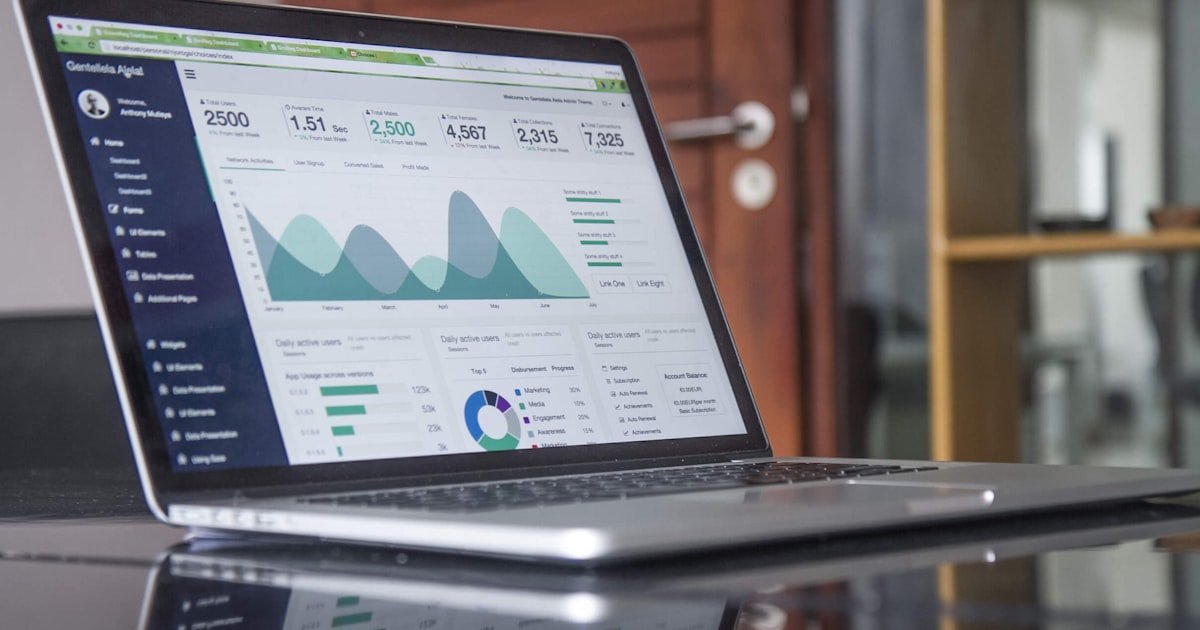
    4. The platform receives the stream, stores it, and presents it as a live map, trip history, scorecards and alerts.
    5. You act on it from a browser or a phone app, whether that’s rerouting a driver, cutting an engine, or pulling a monthly report.

    Because the readings arrive continuously, the system can spot events as they happen. Cross a boundary you’ve drawn on a map, exceed a speed limit, or leave the engine idling too long, and the platform can fire an alert the moment it occurs rather than after the fact. If you want the location side of this explained on its own, our guide on how GPS vehicle tracking works goes deeper into the positioning part of the chain.

    Telematics vs GPS tracking: what’s the difference?

    People use the terms interchangeably, but they aren’t quite the same. GPS tracking is one function within telematics. Telematics is the wider category that includes location plus everything else a vehicle can report.

    Aspect Basic GPS tracking Full telematics
    Core question Where is the vehicle? Where is it, and what is it doing?
    Data captured Location, speed, heading Location plus ignition, idling, driving behaviour, trip history, fuel and more
    Alerts Position-based only Speeding, geofence, idling, harsh driving and dozens more
    Control Usually none Remote engine cut / immobiliser, command sending
    Best for Knowing where an asset is Running and optimising a whole fleet

    What data does telematics capture?

    The exact set depends on the device and how it’s wired, but a well-specified platform like Fleetile typically surfaces:

    • Live location - position, speed and heading, refreshed every few seconds.
    • Trip history - a replayable record of every journey, with stops and durations.
    • Driver behaviour - speeding, harsh braking and acceleration, distilled into a driver score.
    • Idling and ignition - when the engine is on but the vehicle isn’t moving, a hidden fuel drain.
    • Geofence events - entry and exit from zones you draw on the map.
    • Speed-camera and overspeed alerts - warnings before a driver runs into a fixed camera or breaches a limit.

    All of it lands in one place, so instead of stitching together fuel slips, driver phone calls and paper logs, you read a single dashboard.

    Why telematics matters for a fleet

    Telematics earns its keep by replacing guesswork with evidence. The payoff shows up in a few reliable areas:

    • Lower fuel costs. Idling data, route history and speed insights all point straight at wasted fuel. Our guide on improving fleet fuel efficiency shows how to turn that data into savings.
    • Theft prevention. Geofencing plus a remote engine immobiliser means a vehicle taken without authorisation can be flagged and stopped, not just tracked while it disappears.
    • Safer driving. Driver scoring highlights the habits behind most accidents, so you can coach the people who need it.
    • Less downtime. Engine-hour and usage data feed maintenance scheduling, catching problems before they become roadside breakdowns.
    • Less admin. Reports that once took hours build themselves from the data already flowing in.

    Getting started with telematics

    You don’t need a technical team to adopt telematics. A managed provider supplies the device, the SIM and professional installation, and hands you a dashboard and mobile apps for iOS and Android. From there it’s a matter of drawing your geofences, setting the alerts that matter to you, and letting the data accumulate. If you’re still weighing telematics against a plain consumer tracker, our comparison of fleet GPS tracking versus car trackers is a useful next read, and the product tour shows the platform end to end.

    Frequently asked questions

    Is telematics the same as GPS tracking?

    Not quite. GPS tracking answers “where is the vehicle?” Telematics includes that location data but adds engine status, driver behaviour, idling, alerts and remote control. GPS tracking is one feature inside the broader telematics category.

    Do I need special hardware for telematics?

    Yes. A telematics device is installed in each vehicle, usually with a data SIM to send readings to the cloud. Managed providers supply the device, SIM and installation together, so you only interact with the software.

    What kind of data can telematics collect?

    Common data points include live location, speed, trip history, idling, ignition state, harsh braking and acceleration, geofence crossings and overspeed events. The exact set depends on the device and how deeply it’s wired into the vehicle.

    Is telematics only for large fleets?

    No. The same technology works for a single vehicle or hundreds. Because it’s usually priced per vehicle, small operators pay only for what they run and still get the full feature set.

    See telematics on your own vehicles

    The clearest way to understand telematics is to watch it run live. Get a Fleetile demo and see location, driver scoring, geofencing and smart alerts working together on real vehicles.

  • Vehicle Tracking for Car Rental Businesses

    Vehicle Tracking for Car Rental Businesses

    Every car you rent out leaves your lot in the hands of someone you’ve just met, often for days at a time. Car rental GPS tracking is how you keep control of that asset without following it around - knowing where every vehicle is, enforcing your rental terms, recovering overdue or stolen cars fast, and cutting the fraud that eats into thin rental margins. This guide explains exactly how tracking protects a rental fleet and what to look for.

    Why car rental businesses need GPS tracking

    Rental is a uniquely exposed business. Your entire inventory is designed to be driven away by strangers, sometimes across borders, frequently pushed harder than an owner would push their own car. The risks stack up quickly: vehicles not returned on time, cars taken outside permitted areas, reckless driving that trashes the vehicle, and outright theft using fake or stolen identities.

    GPS tracking gives you back control. With a device in every vehicle you always know where your fleet is, get alerted the moment terms are broken, and can act before a small problem becomes a written-off asset. It’s the rental-specific application of core fleet management principles.

    Protecting your fleet from theft and non-return

    The nightmare scenario for any rental operator is a vehicle that simply never comes back. Tracking is the difference between a total loss and a quick recovery:

    • Live location - pinpoint any vehicle instantly, whether it’s overdue, lost or reported stolen.
    • Remote engine cut / immobiliser - prevent a non-returned or stolen car from being driven further, so it can be recovered where it sits.
    • Overdue alerts - flag vehicles that pass their return time so you can act immediately, not days later.
    • Fast recovery - hand police an exact, current position instead of a description and a licence plate.

    Remote immobilisation in particular changes the economics of rental fraud - a car that can’t be driven is a car that gets recovered.

    Enforcing rental terms with geofencing

    Most rental agreements restrict where and how a vehicle can be used, but without visibility those terms are unenforceable. Geofencing makes them real. Draw the permitted area on a map and you’re alerted the moment a customer drives outside it - across a border, into a prohibited region, or beyond an agreed radius.

    Paired with speed and behaviour alerts, you can also enforce the parts of your contract that protect the vehicle itself. To understand how zones and alerts are built, see our explainer on geofencing for fleets.

    Reducing wear, damage and disputes

    Rented cars often get driven harder than owned ones, and that abuse shows up as premature wear, damage and higher maintenance bills. Driver behaviour monitoring records speeding, harsh braking and aggressive acceleration during each rental, which does two things: it discourages reckless driving when customers know it’s tracked, and it gives you evidence when a car comes back damaged.

    Trip history is just as valuable for settling disputes. When a customer denies going somewhere, exceeding a limit or causing damage at a certain time, timestamped location and behaviour data settles it fast and fairly.

    The rental problems tracking solves

    Problem How tracking solves it
    Vehicle not returned Overdue alerts, live location and remote immobiliser
    Driven outside permitted area Geofence breach alerts in real time
    Reckless driving & damage Driver behaviour monitoring and evidence trail
    Theft via fraud Live tracking plus remote engine cut for recovery
    Customer disputes Timestamped trip history as proof
    Idle / unaccounted vehicles Fleet-wide map showing every car’s status

    Running a tighter, more profitable rental operation

    Beyond security, tracking sharpens the day-to-day economics of a rental business. Knowing exactly where every vehicle is - on hire, back in the lot, in for service - means you can turn cars around faster and avoid the dead time where an available vehicle sits unbooked because nobody knew it was free. A live fleet map turns your inventory into something you can actively manage rather than chase.

    Maintenance benefits too. Mileage and usage data let you service each car on real wear instead of a fixed calendar, keeping vehicles roadworthy and reducing the breakdowns that strand customers and damage your reputation. Cleaner records also make it easier to prove condition and mileage at handover, cutting the arguments that eat staff time at the counter and protecting margins that are thin to begin with.

    What to look for in rental fleet tracking

    For rental, the security features matter more than anything else. Prioritise:

    1. Remote engine cut - the most important feature for recovering non-returned and stolen vehicles.
    2. Strong geofencing and alerts - to enforce permitted-area and time terms automatically.
    3. Live, real-time tracking - location every few seconds when you need to act fast.
    4. Driver behaviour and trip history - for damage evidence and dispute resolution.
    5. Mobile apps - so you can check and control the fleet from the counter or on the move.
    6. Managed hardware - device, SIM and installation handled across your whole fleet.

    How Fleetile fits rental fleets

    Fleetile gives rental operators live GPS tracking, geofencing to enforce permitted areas, remote engine cut for recovering non-returned and stolen cars, driver scoring and trip history for damage disputes, and 30+ smart alerts - all in iOS and Android apps with managed hardware. Every car in your fleet stays on one map, so you always know where your inventory is and who’s testing the limits of their agreement.

    Frequently asked questions

    Can I recover a rental car that isn’t returned?

    Yes. Live GPS location shows exactly where an overdue or stolen vehicle is, and remote engine cut prevents it being driven further, so it can be recovered where it sits. This dramatically improves recovery rates compared with tracking alone.

    Can I stop customers driving outside a permitted area?

    You can be alerted the instant they do. Geofencing lets you define permitted regions or a radius, and you get a real-time notification if a vehicle crosses the boundary, so you can enforce your rental terms.

    Does tracking help with damage disputes?

    Yes. Driver behaviour data and timestamped trip history provide an objective record of how and where a car was driven, which settles disputes over damage, speeding or restricted-area use quickly and fairly.

    Is GPS tracking legal for rental vehicles?

    Tracking vehicles you own is generally permitted, but you should disclose it in your rental agreement and follow local privacy laws. Being transparent with customers is both good practice and often a legal requirement.

    See rental tracking in action

    The best way to judge car rental GPS tracking is to see it working on a real fleet. Get a Fleetile demo and watch live tracking, geofencing and remote immobilisation come together on one dashboard.

  • Fleet Tracking for Construction Equipment and Assets

    Fleet Tracking for Construction Equipment and Assets

    A single excavator can be worth more than a whole fleet of vans - and it’s a lot easier to steal, misuse or simply lose track of across a dozen sites. Construction equipment tracking uses GPS and telematics to keep eyes on every machine, trailer and generator you own, wherever it’s parked. This guide explains how tracking protects high-value assets, controls fuel and idling, proves machine hours, and keeps utilisation high across sites.

    Why construction fleets are hard to manage

    Construction assets create problems that ordinary vehicle fleets don’t. Equipment sits on open, unsecured sites overnight. Machines move between projects and get forgotten. Some assets - trailers, generators, compressors - have no engine or driver at all. And expensive plant is a prime target for theft, with recovery rates notoriously low.

    The result is a fleet that’s valuable, scattered and easy to lose visibility of. GPS tracking brings all of it onto one map: powered machines, towed equipment and static assets alike. If you’re new to the category, our guide to what fleet management is covers the fundamentals that apply here too.

    Protecting high-value equipment from theft

    Plant theft is expensive and demoralising: you lose the asset, the project stalls, and insurance rarely covers the full disruption. Tracking is the most effective deterrent and recovery tool available.

    • Geofencing - draw a boundary around each site and get an instant alert if a machine leaves it, especially outside working hours.
    • Remote engine cut / immobiliser - stop a stolen machine from being driven or loaded onto a truck.
    • Movement alerts - be notified the moment an asset moves when it shouldn’t, day or night.
    • Live recovery location - if equipment is taken, give police an exact, current position.

    Geofencing is the workhorse here - our explainer on geofencing for fleets shows how to set up zones that alert you before an asset disappears.

    Controlling fuel and idling costs

    Heavy equipment drinks fuel, and a surprising amount of it is wasted. Machines left idling between tasks, or running when no work is happening, burn diesel and rack up engine hours that bring servicing forward. Tracking makes this visible.

    With idle-time reporting you can see which machines and sites waste the most, then set expectations to shut down between tasks. It’s the same principle behind broader fleet cost-cutting: you can’t reduce what you can’t measure.

    Proving machine hours and utilisation

    Engine-hour data does more than schedule maintenance - it tells you whether you actually need all the equipment you own. Tracking usage per machine reveals the assets that earn their keep and the ones sitting idle that could be redeployed, rented out or sold.

    Data point What it tells you
    Engine / working hours When to service and how hard an asset is used
    Utilisation rate Whether you’re over- or under-equipped
    Idle time Fuel waste and unnecessary engine wear
    Location history Which site an asset was on, and when
    Movement outside hours Possible theft or unauthorised use

    Accurate machine-hour records also support billing and hire agreements, and cut disputes over how long a piece of plant was on site.

    Maintenance and uptime

    A machine that breaks down mid-project can hold up an entire crew. Because engine hours drive most plant servicing, tracking lets you schedule maintenance on real usage instead of guesswork - servicing before a failure rather than after. That means fewer breakdowns, longer asset life and less expensive emergency downtime.

    Managing equipment across multiple sites

    Few construction businesses run a single job. Machines and assets move between projects, get borrowed by one crew from another, and occasionally end up parked at a site that finished weeks ago. Without a central view, keeping track of what’s where turns into a daily round of phone calls - and the answer is often wrong.

    A live map ends the guesswork. You can see at a glance which assets are on which site, spot equipment that’s been idle at a completed job and could be redeployed, and confirm a machine actually arrived where it was dispatched. That visibility feeds directly into utilisation: instead of buying or hiring another excavator, you may find you already own one sitting unused across town. For a broader look at trimming costs this way, see our guide to cutting fleet costs without cutting vehicles.

    What to look for in construction asset tracking

    Construction is tougher on hardware and more varied than a van fleet, so choose accordingly:

    1. Rugged, flexible hardware - devices that suit both powered machines and unpowered assets like trailers and generators.
    2. Strong geofencing and theft alerts - site boundaries and out-of-hours movement notifications.
    3. Remote immobilisation - the single most effective anti-theft feature for high-value plant.
    4. Engine-hour and idle reporting - for maintenance, utilisation and fuel control.
    5. Mobile apps - so you can check any asset from any site.
    6. Managed hardware - device, SIM and installation handled across a mixed fleet.

    How Fleetile fits construction fleets

    Fleetile puts every machine, trailer and generator on one live map, with geofencing around sites, remote engine cut for theft protection, movement and idling alerts, engine-hour reporting for maintenance and utilisation, and 30+ smart alerts - all in iOS and Android apps with managed hardware. Whether an asset has an engine or not, you can see where it is, how it’s used and whether it’s earning its keep.

    Frequently asked questions

    Can you track equipment that has no engine, like trailers or generators?

    Yes. Battery-powered or self-contained tracking devices can be fitted to unpowered assets such as trailers, generators and compressors, so they appear on the same map as your machines and vehicles.

    How does tracking prevent construction equipment theft?

    Geofencing alerts you when a machine leaves a site, remote engine cut stops a stolen machine from being driven or loaded, and live location supports fast recovery. Together they deter theft and dramatically improve the odds of getting an asset back.

    How does equipment tracking help with maintenance?

    Most plant is serviced on engine hours. Tracking records real usage per machine, so you can schedule maintenance on actual hours rather than guesswork - reducing breakdowns and extending asset life.

    Is tracking worth it for a small plant fleet?

    Yes. Even a few machines represent significant value, and a single prevented theft or avoided breakdown often covers the cost. Better utilisation and fuel control add ongoing savings on top.

    See construction tracking in action

    The clearest way to judge equipment tracking is to see it running on real assets. Get a Fleetile demo and watch geofencing, theft alerts and utilisation reporting come together on one dashboard.

  • GPS Tracking for Logistics and Delivery Fleets

    GPS Tracking for Logistics and Delivery Fleets

    In logistics and delivery, everything hinges on one question: where is the load right now? GPS tracking for logistics answers it in real time, turning a fleet of vans and trucks from a black box into a live map you can plan around. This guide covers exactly how delivery operations use GPS tracking to sharpen ETAs, cut fuel, prevent theft and prove every drop - plus what to look for when you choose a system.

    Why logistics fleets need GPS tracking

    Delivery is a business of promises: a package by a certain time, to a certain place, in one piece. Without visibility, every one of those promises is a guess. A driver hits traffic and nobody knows until the customer calls. A parcel is “delivered” but the recipient disputes it. Fuel spend creeps up and no one can say why.

    GPS tracking closes those gaps. With live location on every vehicle, dispatchers can see delays as they happen, reroute around them, give customers accurate ETAs and prove exactly when and where a delivery was made. It’s the same foundation as any fleet management setup, tuned for the pace and pressure of last-mile work.

    How GPS tracking improves delivery operations

    Accurate ETAs and fewer “where’s my order?” calls

    Live location lets you give customers realistic delivery windows and update them when things change. That alone cuts a huge volume of support calls and the driver interruptions that come with them.

    Smarter routing and dispatch

    When you can see the whole fleet at once, you assign the nearest available vehicle to a new pickup instead of the one that “usually” does that area. Over hundreds of stops a day, shorter routes mean real fuel and time savings.

    Proof of delivery and dispute resolution

    Trip history shows exactly where a vehicle was at any moment. When a customer claims a parcel never arrived, timestamped location data settles it in seconds instead of eating an afternoon.

    Lower fuel costs

    Idling, detours and unauthorised trips quietly inflate fuel bills. Tracking surfaces all three, and pairing it with driver behaviour monitoring tackles the aggressive driving that burns even more.

    Security: protecting high-value loads

    Delivery vehicles carry valuable, easily resold cargo, which makes them targets. GPS tracking is your first line of defence, and the right features turn it into active protection:

    • Geofencing - draw zones around depots, customer sites and routes, and get alerted the moment a vehicle enters or leaves where it shouldn’t.
    • Remote engine cut - immobilise a stolen or hijacked vehicle remotely so it can’t be driven away.
    • Real-time theft alerts - instant notification of unauthorised movement, ignition-on out of hours, or a device going offline.
    • Fast recovery - if the worst happens, live location gives you and the authorities a precise position.

    To understand how zones and alerts work together, see our explainer on geofencing for fleets.

    The numbers that matter for delivery fleets

    GPS data turns fuzzy operations into measurable ones. The metrics logistics managers watch most:

    Metric Why it matters
    On-time delivery rate The core promise to customers; drives retention
    Stops per route Route density directly affects cost per delivery
    Idle time Wasted fuel and a sign of routing or dwell problems
    Distance per delivery Reveals inefficient routing and detours
    Unauthorised trips Fuel leakage and misuse of company vehicles

    From reactive to proactive dispatch

    The biggest shift GPS tracking brings to a delivery operation isn’t any single feature - it’s moving from reacting to problems to preventing them. Without visibility, a dispatcher spends the day fielding surprises: a late driver, a missed pickup, a customer complaint. With a live map, those same events are visible while there’s still time to act. A vehicle stuck in traffic can be rerouted, a nearby driver reassigned to an urgent job, and the affected customer told before they even notice.

    Over weeks, that proactive stance compounds. Trip and idle reports show which routes consistently run long, which delivery windows are unrealistic, and where dwell time at stops is eating the schedule. Feed those findings back into planning and each route gets a little tighter, which is exactly the kind of continuous improvement that separates a profitable delivery operation from one that just breaks even.

    What to look for in a logistics GPS system

    Delivery work is demanding, so not every consumer-grade tracker will cut it. Prioritise:

    1. Real-time updates - location every few seconds, not minutes, so dispatch decisions are based on now.
    2. Strong geofencing and alerts - for depots, delivery zones and out-of-hours movement.
    3. Remote immobilisation - essential for protecting high-value cargo.
    4. Trip history and reporting - for proof of delivery, disputes and route analysis.
    5. Mobile apps - so dispatchers and managers can run the fleet from anywhere.
    6. Managed hardware - device, SIM and installation handled, so a growing fleet is easy to onboard.

    These are exactly the areas where purpose-built fleet platforms pull ahead of cheap plug-in trackers - a gap we break down in GPS fleet tracking vs consumer car trackers.

    How Fleetile supports delivery fleets

    Fleetile gives logistics operators live GPS tracking with second-level updates, geofencing around depots and delivery zones, remote engine cut for cargo security, driver scoring, trip history for proof of delivery, and 30+ smart alerts - all in iOS and Android apps, with managed hardware so scaling the fleet is straightforward. Whether you run ten vans or a few hundred, the whole operation lives on one map.

    Frequently asked questions

    How does GPS tracking improve delivery times?

    Live location lets dispatchers spot delays, reroute around traffic and assign the nearest vehicle to each job. Better routing and accurate ETAs mean more on-time deliveries and fewer customer calls chasing orders.

    Can GPS tracking provide proof of delivery?

    Yes. Trip history records exactly where and when each vehicle stopped, so timestamped location data can confirm a delivery was made and resolve disputes quickly.

    How does GPS tracking protect against cargo theft?

    Geofencing alerts you to unauthorised movement, remote engine cut lets you immobilise a stolen vehicle, and live location supports fast recovery. Together they turn tracking into active theft prevention rather than just monitoring.

    Is GPS tracking worth it for a small delivery fleet?

    Yes. Even a handful of vehicles benefit from better routing, lower fuel costs, proof of delivery and theft protection. Savings on fuel and disputes typically cover the cost well before the fleet grows.

    See it on your delivery fleet

    The best way to judge GPS tracking for logistics is to watch it run. Get a Fleetile demo and see live tracking, geofencing and proof of delivery working on a real fleet.

  • Driver Behaviour Monitoring: How to Improve Safety and Save Money

    Driver Behaviour Monitoring: How to Improve Safety and Save Money

    The way your drivers behave behind the wheel quietly decides two of your biggest costs: fuel and accidents. Driver behaviour monitoring is the practice of measuring how vehicles are actually driven - speed, harsh braking, sharp cornering, idling and more - and turning that into a score you can act on. This guide explains what gets measured, how the data becomes safer roads and lower bills, and how to introduce it without turning your team against you.

    What is driver behaviour monitoring?

    Driver behaviour monitoring uses a GPS device and telematics sensors in each vehicle to record how it is driven, second by second. Instead of guessing who your risky drivers are, you get objective data: where someone sped, where they braked hard, how long they left an engine idling, and how those habits compare across your fleet.

    The output is usually a driver score - a single number that summarises risk and efficiency. A high score means smooth, economical, safe driving. A low score flags the habits that cause crashes, wear out vehicles and waste fuel. It works alongside live GPS tracking, but goes a step further: tracking tells you where a vehicle is, behaviour monitoring tells you how it’s being driven.

    What driving behaviours actually get measured

    Most platforms track a consistent set of events, each linked to a real cost:

    • Speeding - driving over the road limit or your own set threshold. The biggest single predictor of crash severity.
    • Harsh braking - sudden, heavy stops that signal tailgating or distraction and accelerate brake wear.
    • Rapid acceleration - aggressive throttle that burns fuel and stresses the drivetrain.
    • Harsh cornering - taking turns too fast, which raises rollover and load-shift risk.
    • Excessive idling - engine running while parked, quietly draining fuel and adding engine hours.
    • Overspeed near cameras - with speed camera alerts, you can flag risky zones before a ticket lands.

    How driver behaviour monitoring saves money

    Better driving pays back in several directions at once. Here’s how the common behaviours map to savings:

    Behaviour improved Where you save
    Less speeding & harsh acceleration Lower fuel bills and fewer serious accidents
    Smoother braking & cornering Reduced brake, tyre and drivetrain wear
    Less idling Fuel saved and fewer engine hours
    Fewer incidents overall Lower insurance premiums and downtime
    Documented safe driving Evidence to defend against false claims

    Fuel and accidents are usually the two largest controllable costs in a fleet, so even small behaviour improvements compound quickly. If cutting costs is your priority, behaviour monitoring pairs naturally with the tactics in our guide on how to cut fleet costs without cutting vehicles.

    Safety: the benefit that outranks the savings

    The financial case is strong, but the safety case is the real reason to do this. Aggressive driving - speeding, tailgating, hard braking - is behind the majority of preventable collisions. When drivers know their habits are measured and reviewed, those habits change. The result is fewer injuries, fewer damaged vehicles, fewer angry customers and less time spent dealing with the aftermath of a crash.

    Monitoring also protects your good drivers. When an incident isn’t their fault, trip history and behaviour data become evidence that can settle disputes and defend against exaggerated claims.

    How to roll it out without a mutiny

    Drivers often assume monitoring is about catching them out. Handled well, it becomes something they buy into. A proven approach:

    1. Explain the “why” first. Frame it as safety and fairness, not surveillance. Nobody argues with fewer crashes.
    2. Set a baseline. Run monitoring quietly for a couple of weeks so you know where the fleet stands before setting targets.
    3. Coach, don’t punish. Use scores to have supportive conversations. Most poor scores come from a few fixable habits.
    4. Reward improvement. Recognise or reward your top scorers. A little friendly competition works better than penalties.
    5. Review regularly. Short monthly reviews keep behaviour top of mind and let you catch trends early.

    Turning scores into lasting habits

    The point of monitoring isn’t the score itself - it’s the behaviour change behind it. Fleets that get the most out of driver monitoring treat it as an ongoing coaching loop rather than a one-off report. When a driver sees the exact corner they took too fast or the stretch of road where they consistently speed, the feedback stops being abstract and becomes something they can actually fix on the next trip.

    Consistency is what makes it stick. A driver who improves for a week and then slips back hasn’t really changed their habits, so the value comes from watching trends over months, not days. Small, steady gains across a whole fleet add up to a meaningful drop in fuel spend and incidents - and, just as importantly, a safer team that goes home in one piece. Behaviour data also feeds naturally into fleet tracking ROI calculations, because every avoided accident and litre of fuel saved is measurable.

    What to look for in a driver monitoring tool

    Not every platform measures behaviour well. When you compare options, check that the tool offers a clear driver score, event-level detail (so you can see the exact moment of each harsh event on a map), and real-time alerts for serious violations like overspeeding. It should combine behaviour data with driver scoring, trip history and reporting rather than bolting it on as an afterthought.

    Fleetile builds driver scoring directly into the platform: harsh braking, acceleration, cornering, speeding and idling all feed a per-driver score, backed by trip history, speed camera alerts and 30+ smart alerts across iOS and Android. You can drill from a low score straight to the trip and the exact point where it happened - which is what makes coaching conversations concrete instead of vague.

    Frequently asked questions

    What is a driver score?

    A driver score is a single rating that summarises how safely and efficiently someone drives, calculated from events like speeding, harsh braking, rapid acceleration and idling. A higher score means smoother, safer, more fuel-efficient driving.

    Does driver behaviour monitoring actually reduce accidents?

    Yes. Aggressive driving is behind most preventable collisions, and drivers measurably improve when they know their habits are scored and reviewed. Fewer harsh events means fewer crashes, lower repair costs and often lower insurance premiums.

    Will my drivers accept being monitored?

    They usually do when it’s introduced as a safety and fairness tool rather than surveillance. Explaining the reasons, coaching instead of punishing, and rewarding improvement turns monitoring into something drivers support rather than resent.

    Do I need special hardware for driver behaviour monitoring?

    You need a GPS and telematics device fitted to each vehicle. With a managed platform, the device, SIM and installation are handled for you, so you just review scores and reports in the app.

    See driver scoring in action

    The fastest way to understand behaviour monitoring is to watch it score real trips. Get a Fleetile demo and see how driver scoring, trip history and smart alerts come together on one dashboard.

  • The Real ROI of Fleet Tracking (With Example Numbers)

    The Real ROI of Fleet Tracking (With Example Numbers)

    Every fleet owner asks the same question before buying: is this actually worth it? Calculating fleet tracking ROI isn’t guesswork - the savings come from a handful of predictable areas, and you can estimate your own payback with a few numbers you already have. This guide explains where the returns come from, walks through a worked example with illustrative figures, and shows you how to run the maths for your own fleet. (The numbers below are examples to show the method, not a quote - your results depend on your fleet.)

    What “ROI” means for a fleet

    Return on investment is simply the value you get back compared with what you spend. For fleet tracking, the spend is the hardware and subscription; the return is the money saved across fuel, maintenance, insurance, admin and theft. ROI is usually expressed as a percentage or, more usefully, as a payback period - how many months until the savings cover the cost.

    The formula is straightforward:

    • Monthly saving = fuel saved + maintenance saved + accident saved + admin saved + theft avoided
    • Payback (months) = total cost ÷ monthly saving
    • Annual ROI = (yearly saving − yearly cost) ÷ yearly cost

    The trick is estimating each saving realistically. Let’s break them down.

    Where the savings come from

    Fuel

    Usually the biggest and fastest win. Reducing idling, speeding and detours - plus catching fuel theft - commonly trims a noticeable slice off the fuel bill. Even a modest percentage reduction is significant because fuel is often the largest controllable cost.

    Maintenance

    Switching from reactive repairs to scheduled, mileage-based servicing avoids expensive breakdowns and extends vehicle life. Fewer roadside emergencies means fewer tows, less downtime and lower repair bills.

    Accidents and insurance

    Safer driving means fewer accidents, and fewer accidents mean lower repair costs and a better risk profile at renewal. Telematics data also helps you contest false claims. Because a single serious accident is so costly, even a small reduction in incident rate has an outsized effect.

    Admin and disputes

    Automated trip history, mileage and working-hours reports replace manual logging and settle customer disputes with a route replay. The saved hours are real payroll money.

    Theft prevention

    Harder to predict, but a single prevented theft - via geofencing alerts and remote engine cut - can outweigh a whole year of tracking cost on its own.

    A worked example

    Let’s take an illustrative fleet of 10 vehicles. The figures below are examples chosen to demonstrate the method - plug in your own real numbers to get a meaningful result.

    Saving area How it’s estimated Example monthly saving (10 vehicles)
    Fuel ~8% off a $4,000 fuel bill $320
    Maintenance Fewer breakdowns, planned service $150
    Accidents / insurance Reduced incident rate (annualised) $120
    Admin time ~5 hours/week saved $100
    Total $690 / month

    In this example the fleet saves roughly $690 a month before even counting theft prevention. If the tracking subscription and hardware amortisation came to, say, $250 a month for 10 vehicles, the net gain is around $440 a month - and the system pays for itself well inside the first few months. Add one prevented theft over the year and the ROI climbs sharply.

    The point isn’t the exact numbers - it’s the structure. Once you see the categories, you can drop in figures from your own operation and get a realistic payback estimate.

    How to calculate your own ROI in 4 steps

    1. Gather your baseline. Pull your current monthly fuel bill, maintenance spend, insurance cost, and the hours spent on fleet admin.
    2. Apply conservative saving rates. Estimate a modest reduction for each area - it’s better to under-promise. Even cautious figures usually add up.
    3. Total the monthly saving and compare it with the tracking cost. For a sense of what tracking typically costs, see our fleet GPS tracking cost guide.
    4. Divide cost by saving to get your payback period in months. Anything under a year is a strong case.

    If you want to go deeper on any single lever, our guide on how to cut fleet costs without cutting vehicles breaks down each saving area in detail.

    Beyond the spreadsheet: the returns you can’t easily price

    Some of the biggest benefits don’t fit neatly in a table but matter enormously:

    • Peace of mind - knowing where every vehicle is, right now.
    • Better customer service - accurate arrival times and proof of delivery.
    • Faster recovery - locating and immobilising a stolen vehicle in minutes.
    • Better decisions - real utilisation data instead of guesswork.

    These “soft” returns often become the reasons owners say they’d never go back, even though they’re the hardest to put a dollar figure on.

    How Fleetile maximises your return

    The size of your return depends on how much of the waste you can actually see and act on. The Fleetile platform pulls every ROI lever together: live GPS tracking that updates every few seconds, driver scoring, geofencing, trip history and reports, 30+ smart alerts, and remote engine cut - all in one dashboard with iOS and Android apps and managed hardware. The more of the picture you can see, the more waste you can remove, and the faster the system pays for itself.

    Frequently asked questions

    Is fleet GPS tracking worth the money?

    For most fleets, yes. The combined savings from fuel, maintenance, accidents and admin typically cover the cost within months, and prevented theft can pay for the whole year in a single event. The best way to be sure is to run the numbers on your own fleet using conservative estimates.

    How long until fleet tracking pays for itself?

    It varies by fleet, but many owners see payback within the first few months. Fuel and admin savings tend to appear quickly, while maintenance and insurance savings build over the following quarters.

    Which saving is the most reliable?

    Fuel is usually the most predictable and fastest to appear, because reducing idling, speeding and detours produces measurable results almost immediately. It’s a sensible anchor for any ROI estimate.

    Do the example numbers apply to my fleet?

    No - they’re illustrative, meant to show how the calculation works. Your real payback depends on your fuel spend, vehicle types, driving patterns and current inefficiencies. Use the four-step method above with your own baseline figures.

    Calculate your real return

    The clearest way to see the ROI is to watch your own vehicles, fuel use and alerts on one live dashboard, then run the numbers. Get a Fleetile demo and see exactly where the savings - and the payback - will come from.

  • How to Cut Fleet Costs Without Cutting Vehicles

    How to Cut Fleet Costs Without Cutting Vehicles

    When budgets get tight, the first instinct is often to shrink the fleet - park vehicles, cancel routes, cut capacity. But removing vehicles removes earning power, and it rarely fixes the real problem: waste. If you want to reduce fleet costs without losing the ability to serve customers, the smarter move is to make every vehicle you already own cheaper to run. This guide breaks down where fleet money actually leaks and how to plug each hole with better data instead of fewer vehicles.

    Where fleet money really goes

    Before cutting anything, it helps to know what you’re spending on. For most fleets the cost stack looks roughly like this:

    Cost area Typical driver of waste Main lever to fix it
    Fuel Idling, speeding, detours, theft Tracking + driver scoring
    Maintenance Reactive repairs, missed service Scheduled, mileage-based servicing
    Insurance Accidents, poor risk profile Safer driving, telematics evidence
    Labour & admin Manual logs, disputes, overtime Automated reports
    Depreciation Over-utilised or idle assets Right-sizing from usage data

    Notice that “too many vehicles” isn’t the top line. The biggest savings usually come from running each vehicle better - and that starts with visibility.

    1. Attack fuel first - it’s the fastest win

    Fuel is typically the largest controllable cost, which makes it the best place to start. Three habits quietly inflate it:

    • Idling - engines running while going nowhere burn fuel for zero output.
    • Aggressive driving - harsh acceleration and speeding wreck efficiency.
    • Detours and theft - off-route trips and skimmed fuel add up fast.

    Live GPS tracking plus driver scoring exposes all three. You can see which vehicles idle the most, which drivers drive hardest, and which trips wander off route. Coaching the bottom few drivers often produces a visible drop in fuel spend within a month or two. If you suspect deliberate loss, our guide on how to reduce fuel theft in your fleet covers the specific controls to add.

    2. Switch maintenance from reactive to scheduled

    A breakdown costs far more than a service: towing, emergency repairs, a vehicle off the road, missed jobs, and often a knock-on to other vehicles covering the gap. Because your tracking system logs accurate mileage automatically, you can schedule servicing by real distance driven rather than guesswork. Catching a worn part on a planned service is cheap; catching it on the roadside is not. Planned maintenance also extends vehicle life, pushing back the biggest cost of all - replacement.

    3. Lower insurance and accident costs with safer driving

    Accidents are expensive twice: the immediate repair and injury costs, and the long tail of higher premiums. Driver behaviour monitoring reduces both. When drivers know that speeding and harsh braking are scored, the risky behaviour drops - and fewer incidents mean a better risk profile at renewal. Telematics data also gives you evidence to contest false or exaggerated claims, which protects your premiums further.

    4. Cut admin and dispute costs with automated reports

    Manual logs, paper timesheets and “he said, she said” disputes quietly eat hours every week. When trip history, mileage, working hours and stops are recorded automatically, a lot of that overhead simply disappears:

    • Timesheets reconcile against actual vehicle activity.
    • Customer disputes (“your driver never arrived”) are settled with a route replay.
    • Monthly reporting becomes a download, not a data-entry project.

    The saved hours are real money, and the reduced disputes protect both revenue and customer relationships.

    5. Right-size using real utilisation data

    This is where you can trim capacity intelligently, if the data supports it. Instead of guessing which vehicles are underused, look at actual utilisation: which assets sit idle most of the week, which routes overlap, where a shared pool would work. Sometimes the answer is redeploying a vehicle rather than removing it. Either way, the decision is based on evidence, not gut feel - and you keep the capacity you actually need.

    6. Reduce theft and recovery costs

    A stolen vehicle is a catastrophic, one-off cost that also disrupts operations for days. Geofencing alerts you the moment a vehicle leaves where it should be, and for high-value assets, remote engine cut and immobilisation let you stop a vehicle before it disappears. Preventing a single theft can outweigh a whole year of tracking costs.

    The compounding effect

    No single change transforms a fleet budget, but they stack. A little less idling, a few avoided breakdowns, one prevented accident, a couple of hours saved on admin each week, and one theft averted - together they add up to meaningful savings without parking a single vehicle. To understand the payback more precisely, see our breakdown of the real ROI of fleet tracking.

    How Fleetile pulls it together

    Every lever above runs on the same foundation: accurate, real-time data in one place. The Fleetile platform combines live GPS tracking, driver scoring, geofencing, trip history and reports, 30+ smart alerts, and remote engine cut - with iOS and Android apps and managed hardware so rollout is simple. Instead of five disconnected tools, you get one dashboard that shows exactly where the money is going and where to trim the waste.

    Frequently asked questions

    What’s the biggest cost saving from fleet tracking?

    Fuel is usually the fastest and largest win because idling, speeding and detours are common and easy to fix once you can see them. Over the longer term, avoided accidents and planned maintenance often deliver just as much, plus the occasional prevented theft.

    Can I cut costs without reducing the number of vehicles?

    Yes - that’s the whole point. Most fleet waste comes from how vehicles are run, not how many you have. Reducing fuel waste, servicing on schedule, improving driver safety and automating admin lowers your cost per vehicle while keeping full capacity.

    How does driver behaviour affect fleet costs?

    Aggressive driving burns more fuel, wears out brakes and tyres faster, and causes more accidents. Scoring and coaching drivers therefore cuts fuel, maintenance and insurance costs at the same time, which is why it’s one of the highest-leverage changes you can make.

    How soon will I see savings?

    Fuel and admin savings often appear within the first one to two months, driven partly by the behaviour change that comes from vehicles being tracked. Maintenance and insurance savings build over the following quarters as planned servicing and safer driving take effect.

    See where your fleet is leaking money

    The clearest way to find savings is to watch your own vehicles, idling, routes and alerts on one live dashboard. Get a Fleetile demo and see exactly where you can cut fleet costs without cutting a single vehicle.

  • 7 Ways to Reduce Fuel Theft in Your Fleet

    7 Ways to Reduce Fuel Theft in Your Fleet

    Fuel is one of the largest line items in any fleet budget, and it’s also one of the easiest to skim. If you want to reduce fuel theft in your fleet, the good news is that most of it hides in plain sight: padded fuel receipts, off-route detours to a friend’s car, tank siphoning overnight, and “ghost” refills that never went into a company vehicle. With GPS tracking and a few disciplined habits, you can spot the pattern quickly and close the gaps. This guide walks through seven practical ways to do exactly that.

    Why fuel theft is so common (and so hard to see)

    Fuel theft rarely looks like theft. It usually looks like a slightly higher fuel bill, a receipt that’s a little too round, or a tank that’s emptier than the mileage suggests. Because each incident is small, it slips past manual checks. Multiply a few skimmed litres per week across a fleet of vehicles and it becomes real money leaking out every month.

    The common forms of fuel loss are:

    • Fuel card fraud - refuelling a personal vehicle, or buying fuel and reselling it.
    • Receipt padding - claiming more litres than were actually pumped.
    • Tank siphoning - physically drawing fuel from a parked vehicle.
    • Idling and unauthorised trips - burning company fuel on personal errands.
    • Inefficient routing - longer routes that quietly inflate consumption.

    The fix is visibility. When you can match every fuel purchase to a real vehicle at a real place and time, theft has nowhere to hide.

    7 ways to reduce fuel theft in your fleet

    1. Cross-check every fuel receipt against GPS location

    This is the single most powerful control. When a fuel purchase is logged, ask one question: was the vehicle actually at that fuel station, at that time? With live GPS tracking that updates every few seconds, you can replay the trip history and confirm it instantly. If the receipt says a station across town but the vehicle was parked at the depot, you’ve found your leak. Make this a routine spot-check and word gets around fast.

    2. Set geofences around fuel stations and depots

    Geofencing lets you draw virtual boundaries on a map and get alerted when a vehicle enters or leaves. Put a geofence around the approved fuel stations and your depot. Now a fuel purchase with no matching “entered fuel station” event is an immediate red flag - because the vehicle was never there. Geofences also catch the reverse problem: a vehicle sitting at a station far longer than a fill-up should take.

    3. Monitor overnight and parked-vehicle activity

    Siphoning usually happens when nobody is watching - overnight, on weekends, in a quiet yard. Smart alerts can notify you when a parked vehicle’s engine starts unexpectedly, when it moves outside working hours, or when it leaves a geofence at 2am. A vehicle that “wakes up” when it should be asleep is worth investigating.

    4. Use driver scoring to cut idling and aggressive driving

    Not all fuel loss is theft - a lot of it is waste, and waste is easier to fix. Excessive idling, harsh acceleration and speeding all burn extra fuel. Driver scoring grades each driver on these behaviours, so you can coach the worst offenders and reward the best. Reducing idle time alone often produces a visible drop in the monthly fuel bill.

    5. Flag off-route and unauthorised trips

    A vehicle that regularly detours off its assigned route is either lost, moonlighting, or making personal stops on company fuel. Trip history and route replay make these detours obvious. Set alerts for trips outside working hours or outside the operating area, and review any vehicle whose mileage keeps climbing without matching deliveries.

    6. Reconcile fuel volume against distance driven

    Every vehicle has a rough, predictable fuel-per-distance figure. When the fuel purchased suddenly outpaces the distance driven, something is off - either fuel is going into another tank, or receipts are being padded. Because your tracking system already logs accurate mileage, this reconciliation becomes a simple monthly report rather than a guessing game.

    7. Make it visible that you’re watching

    Deterrence is cheaper than investigation. When drivers know that every trip, stop and fuel purchase is logged and reviewed, casual theft drops sharply. You don’t need to catch everyone - you need everyone to believe they could be caught. A short briefing that “all vehicles are GPS tracked and fuel is reconciled monthly” often pays for itself.

    Detection method comparison

    Different controls catch different kinds of loss. A layered approach works best:

    Method Catches Effort to set up
    GPS receipt cross-check Card fraud, ghost refills Low
    Geofencing fuel stations Off-site purchases Low
    Overnight activity alerts Siphoning, unauthorised use Low
    Driver scoring Idling and driving waste Medium
    Fuel-vs-distance reconciliation Receipt padding Medium

    How Fleetile helps you stop fuel theft

    Every control above depends on accurate, real-time data. The Fleetile platform gives you live GPS tracking that updates every few seconds, geofencing with instant entry and exit alerts, driver scoring, full trip history and route replay, and 30+ smart alerts you can tune to your working hours. For high-risk vehicles, remote engine cut and immobilisation add a physical layer of protection on top of the reporting. It all runs from one dashboard and from the iOS and Android apps, so you can check a suspicious purchase from your phone in seconds.

    If controlling fuel is part of a wider push to cut fleet costs, tackling theft and waste together tends to deliver the fastest, most visible savings.

    Frequently asked questions

    How can GPS tracking prove fuel theft?

    GPS tracking records where each vehicle was at any moment. By matching a fuel receipt’s time and location against the vehicle’s actual position, you can confirm whether the fuel really went into that vehicle. Mismatches - a purchase where the vehicle was never present - are strong evidence of fraud.

    Does geofencing stop fuel theft on its own?

    Geofencing doesn’t physically block theft, but it makes it visible. Alerts when vehicles enter or leave fuel stations, depots or their operating area help you spot purchases and movements that don’t add up, which is usually enough to deter casual theft and catch repeat offenders.

    What’s the difference between fuel theft and fuel waste?

    Theft is fuel deliberately taken - siphoning, card fraud, personal trips. Waste is fuel burned unnecessarily through idling, speeding or poor routing. Both inflate your fuel bill, and a good tracking system helps you reduce each: theft through location checks and alerts, waste through driver scoring and route optimisation.

    How quickly can I see results?

    Many fleets see a measurable drop in fuel spend within the first month or two, largely because drivers behave differently once they know trips and purchases are tracked and reconciled. The deterrent effect is immediate; the reporting refines savings over time.

    See it on your own fleet

    The fastest way to understand how much fuel you could be losing is to watch your vehicles, fuel stops and alerts on one live dashboard. Get a Fleetile demo and see exactly how tracking, geofencing and alerts close the gaps that let fuel theft happen.

  • What Is Geofencing and How Do Fleets Use It?

    What Is Geofencing and How Do Fleets Use It?

    Live GPS tracking tells you where your vehicles are right now. But you can’t sit and watch a map all day - and that’s exactly the problem geofencing solves. So what is geofencing? In short, it’s a virtual boundary you draw on a map that automatically alerts you the moment a vehicle crosses it. This guide explains how geofencing works and the practical ways fleets use it to save money, prevent theft, and stay accountable.

    What is geofencing?

    Geofencing is the practice of drawing a virtual fence around a real-world location on a digital map. When a tracked vehicle enters or leaves that zone, the system triggers an action - usually an instant alert. The “geo” refers to geography (a real place) and the “fence” is the invisible boundary you define. Nothing is physically installed at the location; the fence exists entirely in software, comparing each vehicle’s GPS position against the zone you drew.

    Geofences come in two common shapes:

    • Circular - drop a pin and set a radius. Fast to create around a single point like a depot or customer site.
    • Polygon - draw a custom shape point by point. Ideal for irregular areas like a warehouse yard, a city district, or a stretch of highway.

    How does geofencing work?

    Geofencing sits on top of your GPS tracking. Every few seconds, each vehicle reports its position to your fleet platform (if you’re curious about that part, see how GPS vehicle tracking works). The software constantly checks each vehicle’s coordinates against every geofence you’ve created. The logic is simple:

    1. You draw a zone and choose which event to watch: entry, exit, or both.
    2. A vehicle’s live position crosses the boundary line.
    3. The platform detects the crossing and fires your chosen action - an alert, a log entry, or a report.

    Because it’s automated, geofencing works around the clock without anyone watching the screen. You only hear about the events that matter.

    How fleets use geofencing

    1. Prevent and detect theft

    Draw a geofence around your depot or overnight parking and set an “exit” alert for outside working hours. If a vehicle moves when it shouldn’t, you know within seconds - not the next morning. Paired with a remote engine cut, geofencing turns a stolen-vehicle nightmare into a quick recovery.

    2. Confirm arrivals and departures automatically

    Put a geofence around each customer site or job location. You’ll get a timestamped record every time a vehicle arrives and leaves - proof of service without a single phone call. This settles billing disputes and lets you give customers accurate ETAs.

    3. Control costs and cut unauthorised use

    Geofences around approved areas flag any trip that strays outside them, catching personal use of company vehicles and wasted mileage. Combined with alerts for idling and after-hours ignition, this is a direct lever on your fuel bill. See more tactics in how to cut fleet costs.

    4. Improve dispatch and productivity

    When you can see exactly which vehicles are inside or near a zone, you can dispatch the closest one to a new job, reducing drive time and fuel. Over a busy week, those saved minutes add up across the whole fleet.

    5. Enforce restricted and no-go zones

    Some areas are off-limits - low bridges, hazardous sites, or regions outside a driver’s remit. A geofence set to alert on entry warns you the instant a vehicle goes somewhere it shouldn’t.

    6. Build accountability into your records

    Every geofence crossing is logged with a timestamp, so over weeks and months you build a complete, searchable history of where each vehicle went and how long it stayed. That record is invaluable when a customer queries an invoice, an insurer asks for evidence, or you simply want to understand how your fleet spends its day. Instead of relying on memory or driver notes, you have hard data you can pull up in seconds.

    Geofence alerts at a glance

    Geofence around Alert type What it tells you
    Depot / overnight parking Exit (after hours) Possible theft or unauthorised use
    Customer or job site Entry + exit Proof of arrival, time on site, departure
    Approved operating area Exit Vehicle straying off its route
    Restricted / no-go zone Entry Vehicle entering a prohibited area

    Getting the most out of geofencing

    A few practices keep geofencing useful rather than noisy:

    • Size zones sensibly. Too tight and GPS drift triggers false alerts; too loose and you miss real crossings. Add a small buffer around each point.
    • Name zones clearly. “Main Depot” and “Site 14” are far easier to scan than raw coordinates.
    • Match alerts to hours. An exit alert on a depot is gold overnight and noise during a busy workday - schedule it.
    • Start small. Fence your highest-value locations first, then expand as you learn what’s useful.

    Geofencing is one of the highest-impact features in any fleet system, and it pairs naturally with driver scoring, trip reports, and 30+ smart alerts. For the full context on running vehicles efficiently, read what fleet management is.

    Frequently asked questions

    What is a geofence in simple terms?

    A geofence is an invisible boundary you draw around a real place on a map. When a tracked vehicle crosses it, your software automatically reacts - usually by sending you an alert. Nothing is installed at the location; the boundary lives entirely in software.

    What’s the difference between geofencing and GPS tracking?

    GPS tracking tells you where a vehicle is. Geofencing adds rules on top: it watches whether a vehicle enters or leaves specific zones and alerts you automatically, so you don’t have to monitor the map yourself.

    How many geofences can I create?

    On a good fleet platform, effectively as many as you need - one per depot, customer site, restricted area, or operating region. Most businesses start with their highest-value locations and expand over time.

    Can geofencing help prevent vehicle theft?

    Yes. An exit alert on a depot or parking area warns you the instant a vehicle moves without authorisation. Combined with a remote engine immobiliser, geofencing gives you the seconds that make the difference between a recovery and a loss.

    Put geofencing to work for your fleet

    The best way to see how geofencing fits your operation is to watch it live on real vehicles. Get a Fleetile demo and see how geofences, alerts, and live tracking come together on one dashboard.

  • How GPS Vehicle Tracking Works (Explained Simply)

    How GPS Vehicle Tracking Works (Explained Simply)

    You’ve seen a vehicle move as a live dot across a map and wondered what’s actually happening behind the scenes. Understanding how GPS vehicle tracking works is simpler than it looks: a small device listens to satellites, works out where it is, and sends that position over the mobile network to a dashboard you can watch in real time. This guide explains every step in plain English, with no jargon.

    The short version

    GPS vehicle tracking works in four steps: satellites broadcast signals, a tracker in the vehicle calculates its position from those signals, the tracker sends that position over a mobile network to a server, and software plots it on a live map. Everything else - geofencing, alerts, reports - is built on top of that basic loop, which repeats every few seconds.

    Step 1: Satellites broadcast a signal

    GPS (Global Positioning System) is a network of satellites orbiting roughly 20,000 km above Earth. Each satellite constantly broadcasts a radio signal that includes two things: exactly where the satellite is, and the precise time the signal was sent, measured by an atomic clock. There are enough satellites in orbit that, from almost anywhere on the planet, a receiver can “hear” several at once. GPS is free to use and available worldwide - the receiver only listens, it never transmits back to the satellites.

    Step 2: The tracker calculates its position

    Inside the vehicle sits a GPS tracking device - a small unit wired into the vehicle’s power. It receives signals from multiple satellites and measures how long each signal took to arrive. Because radio waves travel at the speed of light, a tiny time difference translates into distance. By combining distances from several satellites, the tracker pinpoints its own location. This is called trilateration:

    • Three satellites fix your latitude and longitude (a flat position).
    • A fourth satellite adds altitude and corrects the clock, sharpening accuracy.
    • More satellites in view means a tighter, more reliable fix.

    The result is your position, usually accurate to within a few metres, plus your speed and direction of travel.

    Step 3: The tracker sends data over the mobile network

    Knowing where it is doesn’t help unless the tracker can report it. This is where a lot of people get confused: the satellites tell the device where it is, but the device uses a cellular SIM card - the same kind of mobile data your phone uses - to send that position to a server over the internet. So GPS is for finding location; the mobile network is for transmitting it.

    A good fleet device sends an update every few seconds, so the dot on your map moves almost in real time rather than jumping in large gaps.

    Step 4: Software turns data into a live map

    The server receives a steady stream of position reports and hands them to fleet management software. That software plots each vehicle on a map, draws its route, calculates trip stats, and checks every update against your rules - is it speeding, has it left a geofence, is it idling? When a rule is broken, you get an alert. You can see this whole flow in action on the Fleetile product dashboard, and explore the full feature set on the platform page.

    GPS vs the mobile network: who does what?

    Component Job Direction
    GPS satellites Broadcast position + time signals Satellite → device (one way)
    GPS tracker Calculate location, speed, heading Receives + processes
    Cellular SIM Send position to the server Device → network → server
    Fleet software Map, alert, report Server → your screen

    What can go wrong with the signal?

    GPS is remarkably reliable, but it isn’t perfect. A tracker needs a reasonably clear view of the sky, so accuracy can dip in a few situations:

    • Tunnels and covered car parks block the satellite signal until the vehicle emerges.
    • Dense city “urban canyons” can bounce signals off tall buildings, nudging accuracy slightly.
    • No cellular coverage means the device can still track - good units store positions and upload them once signal returns.

    Quality hardware and a well-designed platform smooth over these gaps, so your route history stays complete even after a tunnel or a dead zone.

    What GPS tracking unlocks for a fleet

    Once that live position loop is running, a fleet platform layers on the features that actually save money and prevent loss:

    • Live tracking - every vehicle on one map, updated every few seconds.
    • Geofencing - alerts when vehicles enter or leave defined zones.
    • Remote engine cut - immobilise a stolen vehicle safely from your phone.
    • Driver scoring - grade speeding and harsh driving to improve safety.
    • Trip history and reports - replay any journey and analyse performance.

    If you’re comparing a proper fleet system to a basic consumer unit, our post on GPS fleet tracking vs car trackers explains why the difference is bigger than the price tag. And for the wider picture of running vehicles well, start with what fleet management is.

    Frequently asked questions

    Does GPS tracking work without an internet connection?

    The GPS part works anywhere with a view of the sky - it doesn’t need the internet. But sending that location to your dashboard needs a mobile data connection. If there’s no cellular signal, a quality tracker stores positions and uploads them automatically once coverage returns.

    How accurate is GPS vehicle tracking?

    Typically within a few metres under an open sky. Accuracy is best when the tracker can see many satellites and can dip slightly in tunnels or among tall buildings, though good hardware and software minimise the effect.

    Do the satellites know where my vehicle is?

    No. GPS is a one-way broadcast - satellites send signals but never receive anything back. Your tracker listens, works out its own position, and then sends that to your fleet platform over the mobile network. Only your software sees your vehicle’s location.

    How often does the location update?

    On a good fleet platform, every few seconds, so the vehicle moves smoothly on the map. Cheaper consumer trackers often update only every minute or two, which makes the route look choppy and delays alerts.

    See GPS tracking in action

    Reading about it is one thing - watching your own vehicles move live is another. Get a Fleetile demo and see exactly how GPS vehicle tracking turns your fleet into a single, real-time dashboard.